The meeting room booking
platform that just works
Say goodbye to scheduling conflicts, rooms empty for hours, and meetings with no room to hold them when it matters most. WiseRoom has a Room Display at the door, integrates with any corporate calendar, and releases space automatically when nobody shows up.
+100k
users
+800%
growth in 2025
+3M
interactions/year
Large companies already use WiseOffices









WiseRoom does not replace Google or Outlook, but it solves what they cannot
In most companies, the room booking system is the corporate calendar: Google or Outlook. IT configured it, integrated it, trained the team, and it works.
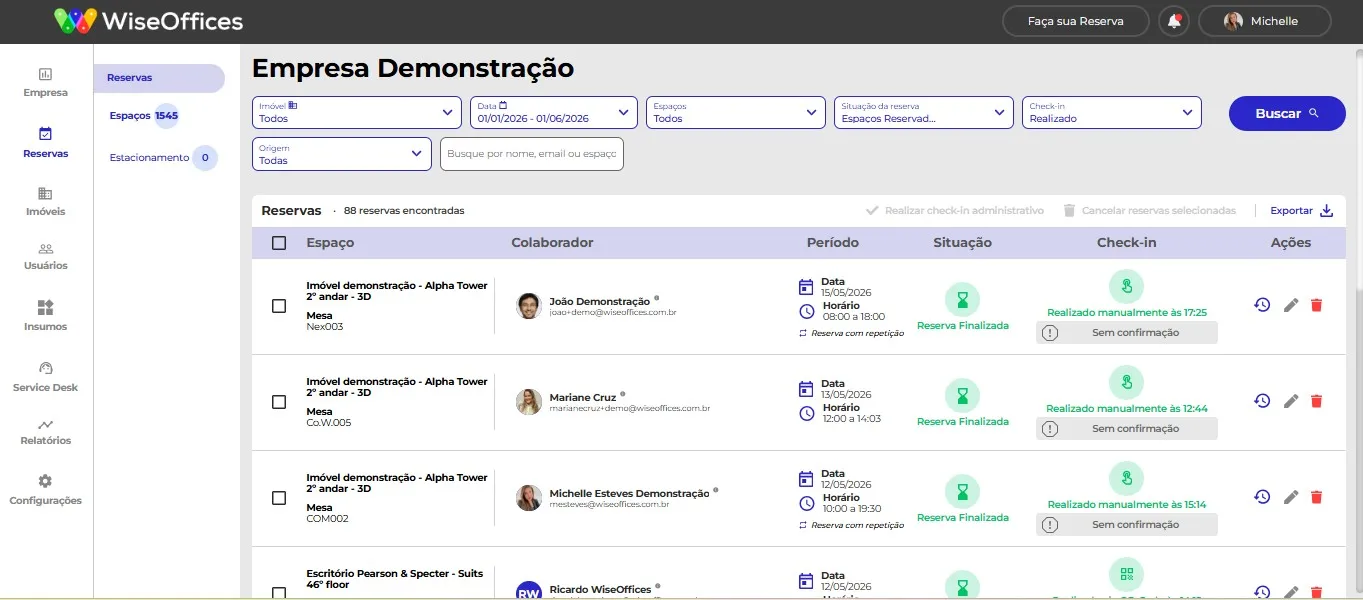
Until someone arrives at a booked room and finds another meeting happening, or the room gets blocked for two hours because nobody cancelled, or the remote employee joins the meeting not knowing where the in-person attendees are, or the manager needs usage and attendance information and has nothing.
The corporate calendar was made to schedule meetings, not to manage physical space, and that is what WiseRoom does.
Schedule a WiseRoom demoThe difference between scheduling a meeting and managing space
WiseRoom works alongside Outlook and Google with two-way integration.
What Outlook or calendar platforms do

Creates the event in the calendar and logs it
Sends invite to participants
Works for Outlook users
-
-
-
-
-
What WiseRoom solves that Outlook does not

Knows if the room was actually used
Automatically cancels when nobody shows up (no-show)
Shows room status at the door in real time (Room Display)
Works for Google Calendar and Outlook at the same time, two-way
Generates real room utilization rate data
Hidden cost: ghost rooms, conflicts, and meetings without space
Space access configuration by group and profiles
Usage time and booking limit configuration per period
How two-way integration works in practice

Booked via Outlook?
It shows as blocked in WiseRoom automatically.

Booked via WiseRoom?
All participants get a calendar invite.

Cancelled via Google?
The room is released in real time.

Created a hybrid meeting?
The Meet or Teams link is generated automatically.
Simple for those who book, powerful for those who manage

Search by capacity, available resources, and location
Recurring bookings for fixed team meetings
Resource requests in the booking (coffee, water, equipment)
Native iOS and Android app (reliable push notifications)
Simple for those who book, powerful for those who manage

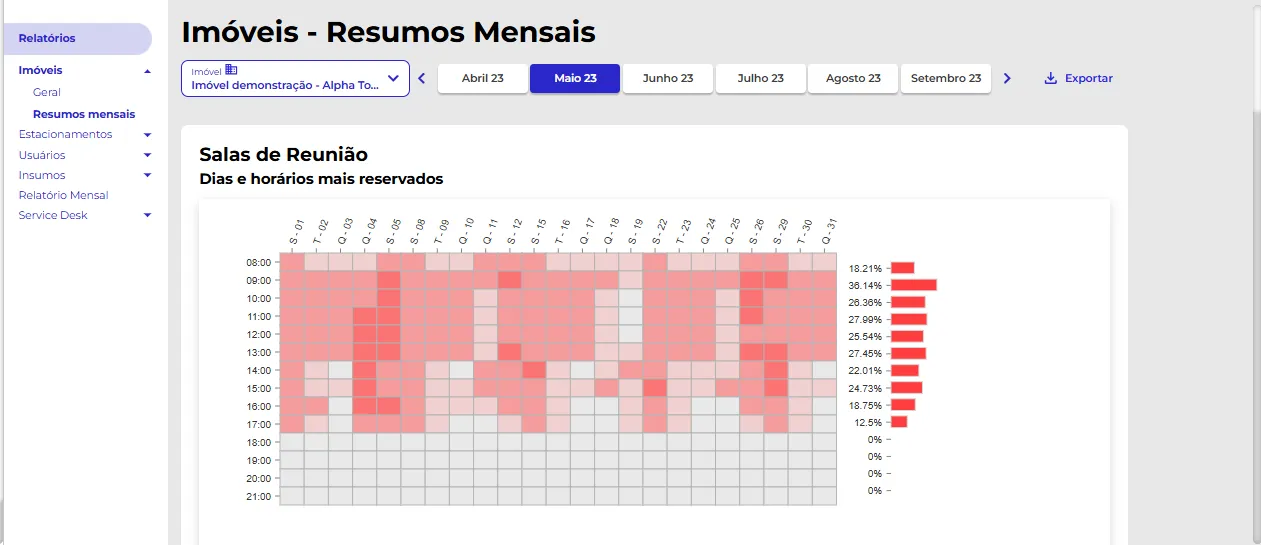
Real utilization rate by room, floor, and period
No-show with configurable automatic cancellation
Report of most and least used rooms, as a basis for space decisions
Space access configuration by group and profiles
Usage time and booking limit configuration per period

 Room Display
The room door says more about your company than you think
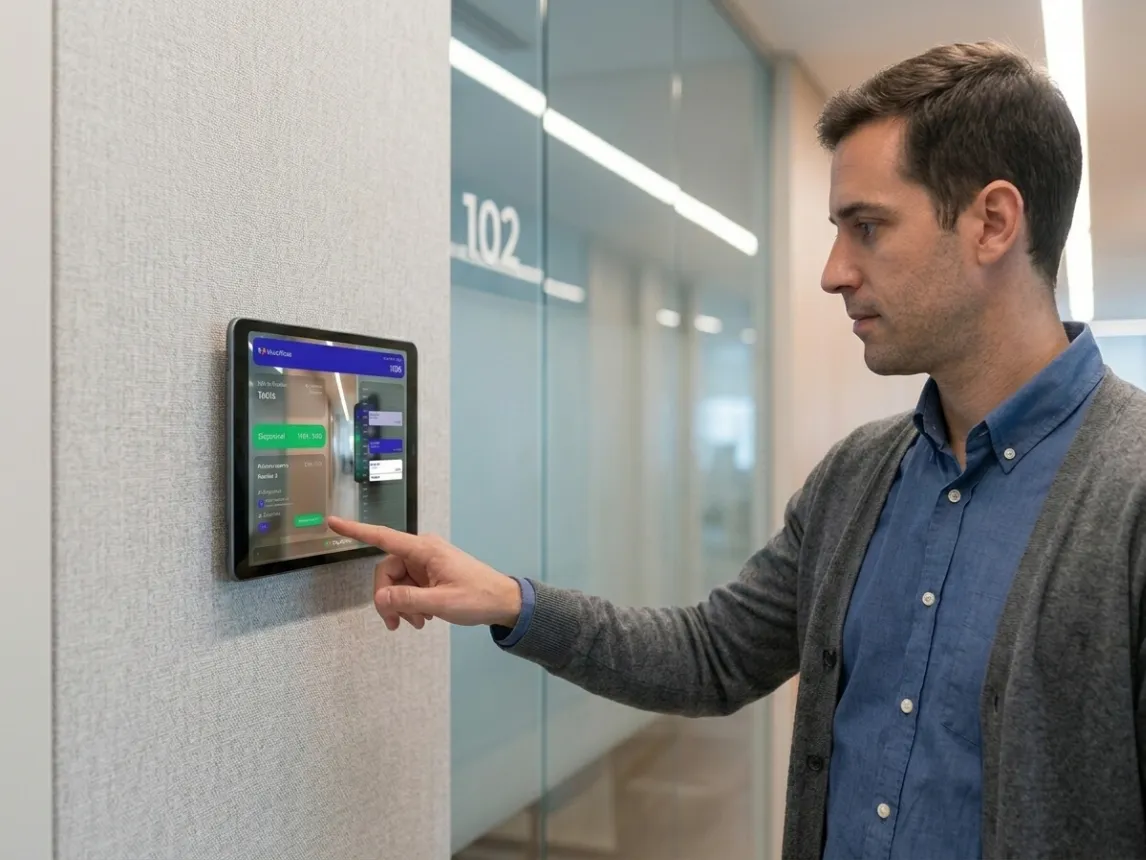
The Room Display is the tablet installed at each room door for the employee who arrives, the visitor who passes by, or the culture you want to build.
It shows real-time status, allows check-in, and releases the room automatically when nobody shows up, all with the company's visual identity, colors, and logo.
Real-time status: available, occupied, upcoming
Door check-in, no phone required
Releases the room automatically if nobody checks in
Customizable visual identity: company colors and logo
Works on any Android or iOS tablet from R$300, iPad, or dedicated solutions like Crestron and Poly
Device rental option through partners

Room booking and preparation on the same screen
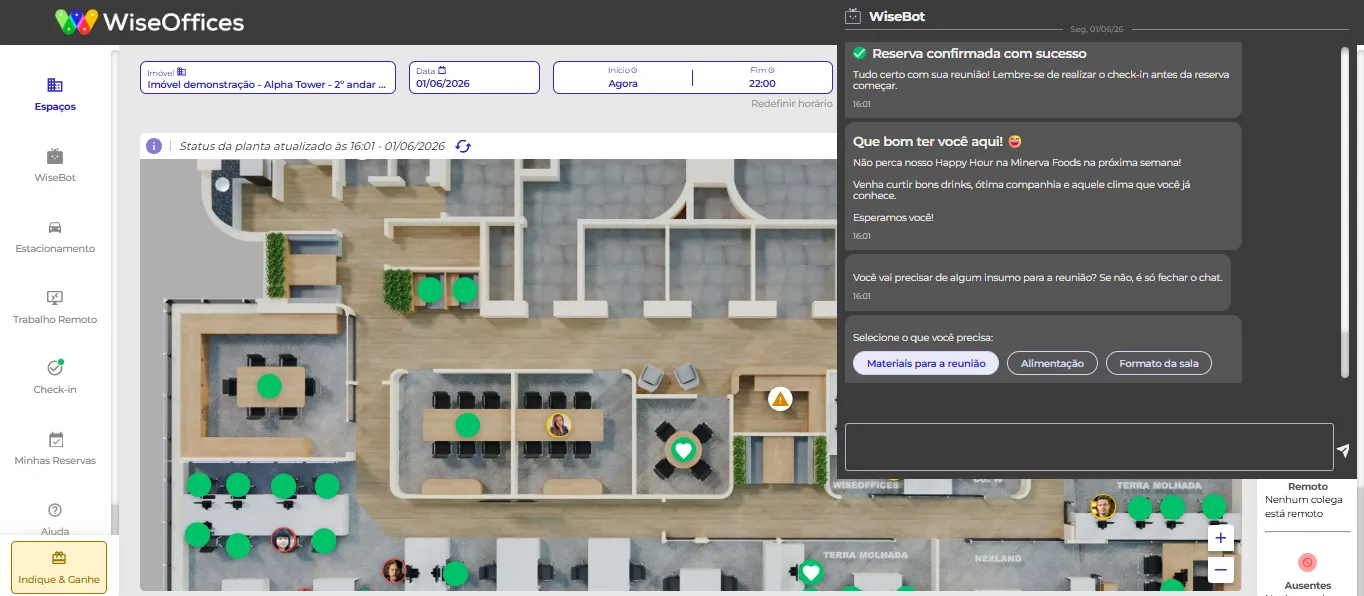
On the same screen where the room is booked, the employee requests what they need for the meeting: coffee, water, presentation equipment, anything the facilities team needs to prepare. The request goes automatically to the person in charge, with the requester, room, and time already filled in.
For the Facilities Manager: zero WhatsApp messages, zero calls, zero forgotten requests.


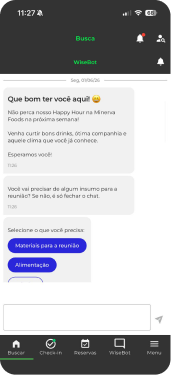


We have a native iOS and Android app,
not a PWA
Most market systems are a web page with an icon on the home screen. WiseRoom is a native app, published on the Play Store and App Store. In practice, this means:
Direct installation from official stores
Reliable push notifications: the check-in reminder arrives at the right time
100% approval in corporate IT certification
Superior performance and stability compared to any browser-based solution
Add-ons available for your project
Room Display
Custom bookings

Google / Outlook Integration

3D Floor Plans
Ready for IT approval in the certification process


Implementation in 5-10 business days*, with no technical resources required from the client
Native iOS and Android app
99.97% uptime | Grade A SecurityScorecard | LGPD compliant



ENTRA ID: automatic provisioning (add-on)
SSO included (Google, Microsoft)
Two-way integration with Google Calendar and Microsoft Outlook
*Estimated timeframe that may vary depending on the number of plants the client orders.
Have any questions?
Check the most frequently asked questions

Need more
help?
Talk to our team
1. What is Room Display and how does it work in practice?
Room Display is a tablet installed at the room door that shows real-time status (available, occupied, or upcoming). It allows check-in at the door and releases the room automatically if nobody shows up within the configured time limit. It is fully customizable with the company’s visual identity.
2. Does WiseRoom work with Google Calendar and Outlook?
Yes, two-way integration with both. A booking made in Outlook shows as blocked in WiseRoom. A booking made in WiseRoom generates an invite in the Google or Outlook calendar of all participants.
3. Is it possible to customize the Room Display with the company's visual identity?
Yes. Colors and logo are fully configurable. Each company can have the Room Display with their own brand, which reinforces the employee experience and the office visual identity for visitors.
4. Does WiseRoom support hybrid meetings with automatic link?
Yes. When creating a hybrid meeting in WiseRoom, the Google Meet or Microsoft Teams link is generated and automatically added to the invite for all participants. In-person and remote attendees receive the same access, without needing to manually copy and paste a link.
5. Does WiseRoom have a native app or is it a PWA?
Native iOS and Android app, available on the Play Store and App Store. It is not a PWA (progressive web app). The practical difference: reliable push notifications, ease of use and installation, and a 100% approval history in IT certification processes.
6. How does the resource request work when booking a room?
On the same booking screen, the employee can request what they need for the meeting: coffee, water, presentation equipment. The request goes automatically to the facilities manager with the room, time, and requester already filled in. The team receives the ticket with complete context, without needing to ask anything.
No more blocked empty rooms
and meetings without space
Want to revolutionize your workplace management today? Fill out the form to schedule a platform demo and explore in depth the features that will boost your company's results and engage your team!
Or, if you prefer…
Calculate my room ROI